

1
Select MySQL as the destination
Select MySQL Database as the destination type.
2
Connect your database
Connect your MySQL database by providing the credentials.
3
Set the target table
Specify the table name where you want the data to be pushed.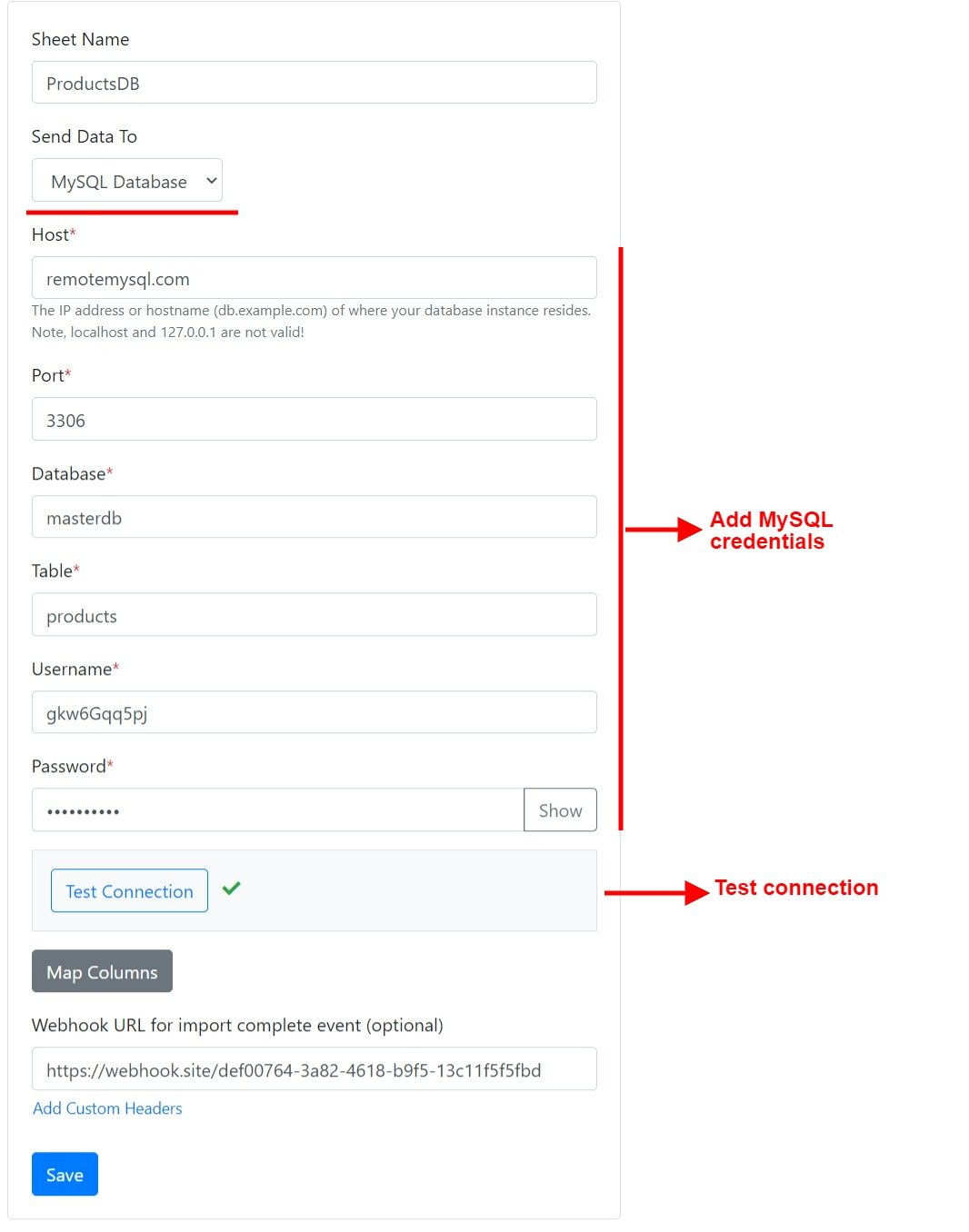
4
Map columns
Map the sheet columns to the table columns. You can also map custom attributes to table columns.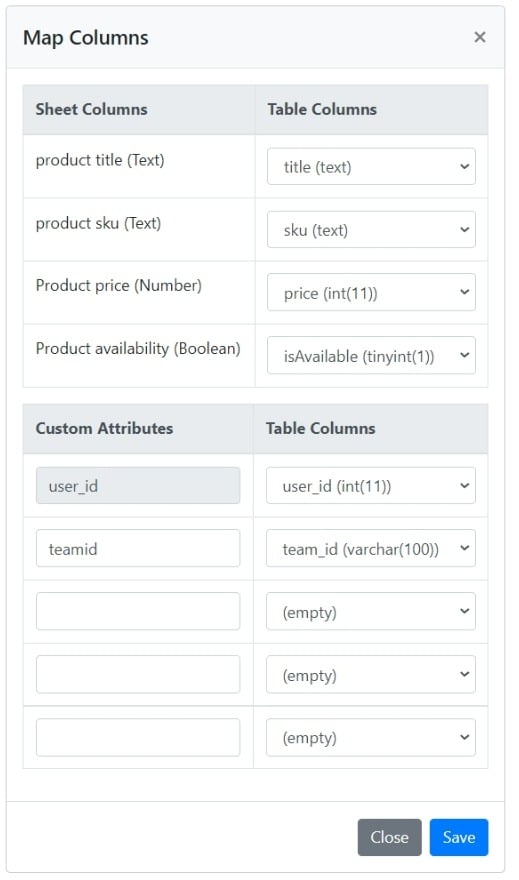
Boolean columns that use Display as checkbox are pushed as
1 or 0, which fits a TINYINT(1) column.