

Find the import link
After you create a sheet, go to the Code tab on the Edit Sheet page. The sheet’s import link appears below the integration code. It looks like this:Referencing the user in the import links
Configure the query parameters in the link to identify users and match them with their imports. Add up to 5 query parameters with custom user attributes that identify the users in your platform. The custom user attributes are pushed to your destination along with the uploaded data.user_id is the only mandatory custom attribute. Apart from user_id, you can add up to 4 custom attributes in the &key=value format. For example:
Activating import links
Activate or deactivate import links in the sheet settings: go to the Sheet Edit page → Options tab → Import Links, and select Activate or Deactivate in the dropdown.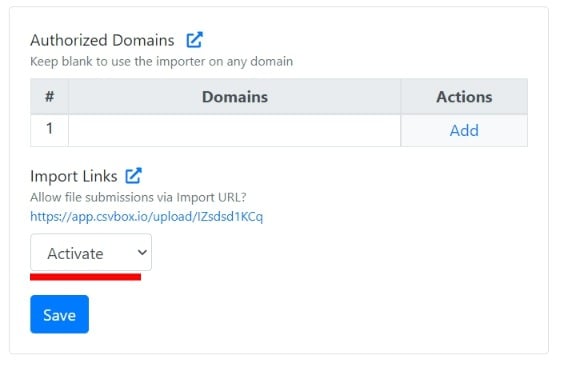
Activate Import Links